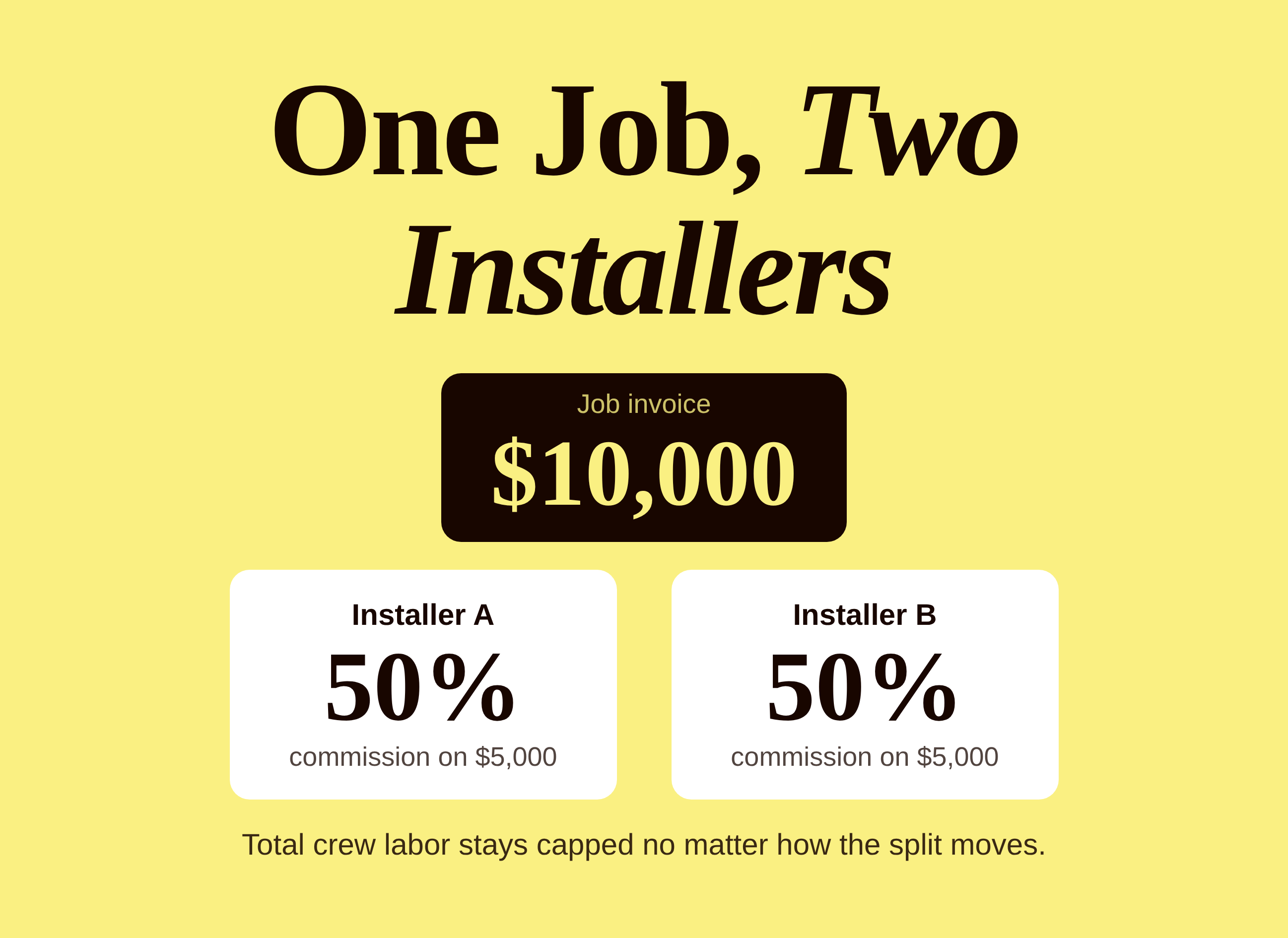
Overtime pay for commissioned employees: how a Florida installer company pays the greater of base or performance pay and recalculates overtime.
Overtime pay for commissioned employees is one of those topics that stays quiet until payroll runs a 59-hour week. A small Florida installation company is about to face exactly that. Its installers earn a guaranteed hourly rate, and on top of it they earn a percentage of completed revenue. When a crew works past 40 hours, a plain question lands on the table: if incentive pay sits on top of a base rate, what is the overtime rate?
The company answered it before the first payout, during its onboarding kickoff, instead of after the first confused paycheck. The way it handled the question is a useful template for any home service company that mixes hourly pay with performance pay.
The Problem: Incentive Pay Quietly Changes the Hourly Rate
The installers at this company work with a guaranteed base rate. Performance pay is meant to reward them when they complete more revenue per hour than the base rate would cover. That sounds simple until overtime enters the picture, because overtime is calculated from a regular rate, and the regular rate generally includes pay that was promised in advance and tied to production. A percentage of completed revenue fits that description.
Three problems showed up in the first planning conversation:
- Incentive earnings had to be reflected in the overtime calculation, not just base pay
- A lot of real work, like takedowns, measuring, delivering panels and boxes, and warehouse time, never shows up in job revenue
- Installers wanted to see their own numbers, not wait for someone in the office to explain a paycheck
None of these are unusual. They are the three things that tend to break a performance pay plan in its first month: a compliance question nobody priced, invisible work nobody tracked, and a workforce that cannot see what it earned. If your company is weighing similar questions, our guide to performance-based pay covers the fundamentals, and a related storm-panel installer story, modeling the right rate for a 17% commission, shows how a company in the same trade picked its percentage.
The Plan: Pay the Greater of Two Numbers
The company settled on a structure that many field service owners find easier to defend than a pure commission plan. Each week, an installer is paid the greater of two numbers:
- Base pay: hours worked at the guaranteed hourly rate, with overtime hours paid at the overtime rate
- Performance pay: a percentage of the revenue on jobs the installer completed
The guarantee protects the installer in a slow week. The performance side rewards a fast, clean week. The company never pays less than base, and it never caps what a strong installer can earn above it. That is the same logic behind the hybrid plan that pays whichever is higher in another case study, applied here to installers instead of technicians.
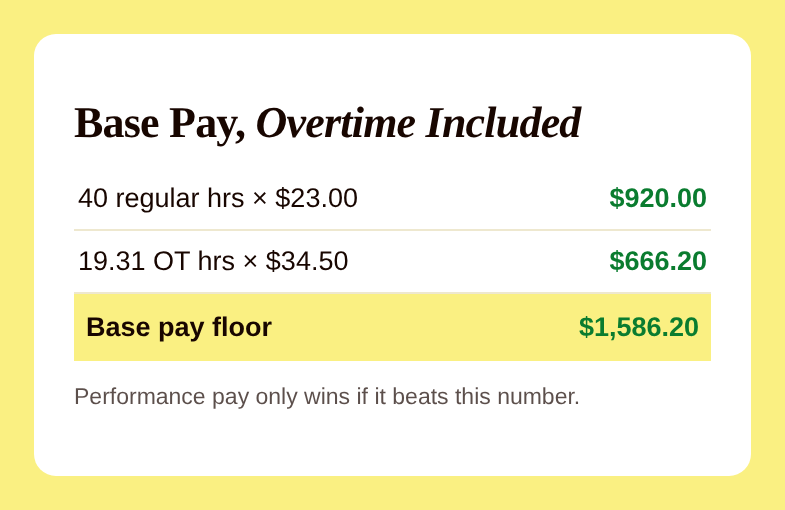
The image above shows what the base side looks like for a long week. At a $23 base rate, 40 regular hours is $920.00. Add 19.31 overtime hours at time and a half, which is $34.50 an hour, and the overtime portion is $666.20. The base pay floor for that week is $1,586.20. Performance pay only becomes the paycheck when it beats that number.
Overtime Pay for Commissioned Employees: Where the Toggle Comes In
The part that makes this plan different is a setting the company turns on in its pay plan: an overtime toggle. When it is on, the system recalculates each installer's regular rate by adding the incentive earnings above base pay into the rate used for overtime. In plain terms, the more an installer earns from performance pay, the more that extra money is accounted for in the overtime math, which is what the company wanted before anyone worked a 59-hour week.
Here is a simple illustration of why that matters. These are made-up numbers, not the company's payroll. Suppose an installer's performance pay for the week came to $1,800 on 59.31 total hours. The commission already covers straight time for every hour, so the regular rate is $1,800 divided by 59.31 hours, or about $30.35 an hour. Overtime is then owed as an additional half of that rate on the 19.31 overtime hours, about $15.17 times 19.31, or roughly $293. The total for the week would be about $2,093 instead of $1,800. Leave the overtime piece out, and the paycheck is short by about $293.
The exact method depends on how your plan is built and which rules apply to your state and your workers, so treat that example as a way to see the shape of the problem, not as advice. Confirm the calculation with your payroll provider or an employment attorney before you launch. For a deeper look at what happens when hours data goes wrong, our case study on a GPS bug that turned 36 hours of work into 64 hours of overtime is a good companion read.
Tracking the Work That Does Not Show Up in Revenue
Revenue-based pay has a blind spot: the hours that make the revenue possible. A crew that spends a morning taking down old panels, measuring a house, or loading a truck at the warehouse is working, but none of that shows up on an invoice. If the plan ignores it, installers learn quickly that the work is unpaid, and they stop doing it well.
The company solved this with a handful of simple tracking pieces:
- Custom yes or no fields on each job for takedown, measure math, delivering panels, and delivering boxes
- Warehouse time as a job. Installers clock into a warehouse job the same way they clock into a customer job, so the hours are counted
- Callback tracking so quality stays part of the picture, not just speed
The warehouse idea is worth stealing. Instead of building a special category in payroll, the company treated warehouse time as just another job. Hours are recorded, the base pay side stays accurate, and the plan does not need a workaround.
Giving Installers a View of Their Own Numbers
Today the company runs on Jobber with one iPad per crew, which means the first version of the plan is tied to crews rather than people. Individual logins are the planned next step. Before go-live, the team schedules a rollout session with the installers so they hear how the plan works from the people who built it, not from a rumor on the truck.
Once installers have their own logins, they see their plan percentage, hours, revenue, callbacks, and payout history. The default view shows only their own data, so a crew member is never looking at a coworker's paycheck. That visibility matters more than it sounds. When installers can watch performance pay move as they get faster, the plan becomes something they work with instead of something that happens to them.
Profit sharing
made simple.
Give your team a stake in the company’s success. ShareWillow helps you create and manage profit-sharing programs that motivate employees and drive business results.
The Result: A Week That Showed the Plan Working
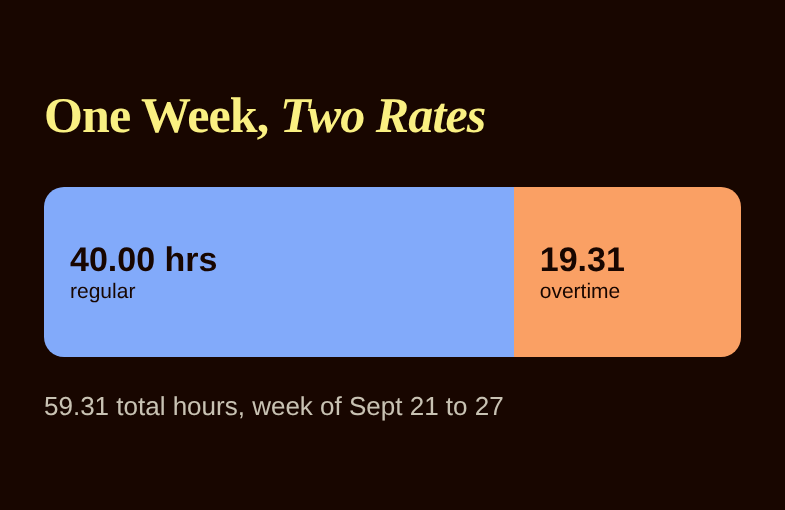
The first data came from the week of September 21 through 27. One installer logged 40 regular hours and 19.31 overtime hours at a $23 base rate, and performance pay just beat the base pay floor of $1,586.20. The other installer beat base pay outright. Both outcomes are what the plan was designed to produce: nobody drops below base, and a faster installer is paid for it.
It is still early, and the company is working through individual logins and rollout. But the design questions that usually cause the most pain, overtime, invisible work, and visibility, were answered before the first real payout.
How to Set Up Your Own Plan
- Decide the floor first. Pick the guaranteed hourly rate and make sure overtime on that rate is part of the base side.
- Add the incentive. Choose a percentage of completed revenue, and model it against last quarter's jobs. Our guide on how to calculate bonus pay walks through the math.
- Fold incentive pay into overtime. Have your payroll provider confirm the method before the first payout.
- Track the invisible work. Use yes or no fields and treat warehouse time as a job.
- Show people their numbers. Run a rollout session, then give installers their own view.
If you want to see how a pay plan like this runs automatically on your own job data, take a look at ShareWillow's product features.
Frequently Asked Questions
Do commissioned employees get overtime pay?
In most cases, yes. Employees who are not exempt generally earn overtime on hours beyond 40 in a week, and commissions and production bonuses count toward the regular rate. The details depend on your state and how the worker is classified, so confirm with your payroll provider or an employment attorney.
How do you calculate overtime when pay includes commission?
The common approach is to add up all pay for the week, divide by total hours to get the regular rate, then pay an additional half of that rate for each overtime hour when the commission already covers straight time. Some plans instead pay time and a half on a base rate plus a recalculated incentive piece. Pick one method and apply it every week.
Can I pay a guaranteed hourly rate and commission at the same time?
Yes. Many home service companies pay the greater of an hourly guarantee or a percentage of revenue. The guarantee protects employees in slow weeks, and the percentage rewards productivity. Just make sure the overtime math covers both pieces.
Related reading
Conclusion
Pay the greater of base or performance pay, fold incentive earnings into the overtime rate, and let installers see their own numbers.
Create incentives
that
drive results
You shouldn't need complex equity plans to align your team. ShareWillow makes it simple to create transparent profit-sharing programs that motivate employees and grow your business.

Incentive plans to help
small businesses thrive.
.png)
"I was able to leverage the knowledge of the ShareWillow team to learn how other companies were designing their bonus plans. The template was extremely helpful."

Brian Tustin
Owner, First Rate Movers