Getting started
The Home page
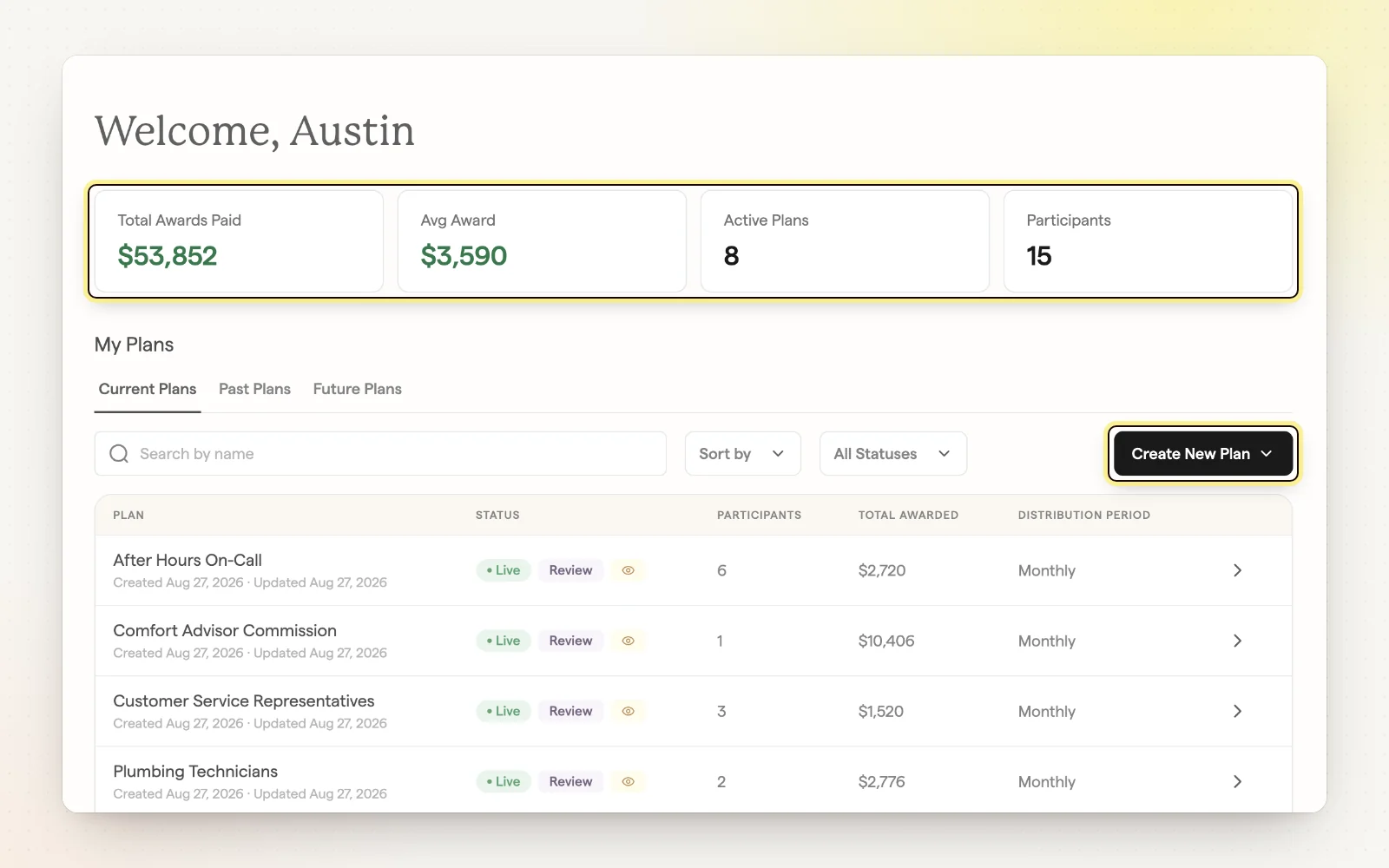
Home is your starting point in the admin app at app.sharewillow.com. It lists your plans with their status, participants, total awarded and current period, so you can spot what needs action.
How it works
- Filter plans by status, such as Active or Completed.
- See plans waiting on payout review and drafts you haven't published.
- Start a new plan with “Build from Scratch” or “Choose a Template.”
- Press Cmd/Ctrl + \ to collapse the sidebar for more room.