Plans
Overview
Every incentive plan has its own details page. Open any plan from the Home page to see how it pays, how each person is tracking, and what has been paid out, all in one place.
The top of the page holds the plan's name, its status, and the total awarded this year. Below that are three tabs: Plan Summary, Performance and Payouts.
At the top of every plan
- Status badges: Live means the plan is running; Review means a payout is waiting for you.
- Awarded YTD: everything the plan has paid this year, and how many payout runs.
- “Ask about this” asks Ask ShareWillow about this plan.
- Actions: edit, duplicate or archive the plan, or turn on auto-confirm payouts.
- Banners flag what needs you, like making the plan visible or reviewing a payout.
Plan Summary tab
How the plan works, at a glance. This is the page to check when someone asks how they get paid.
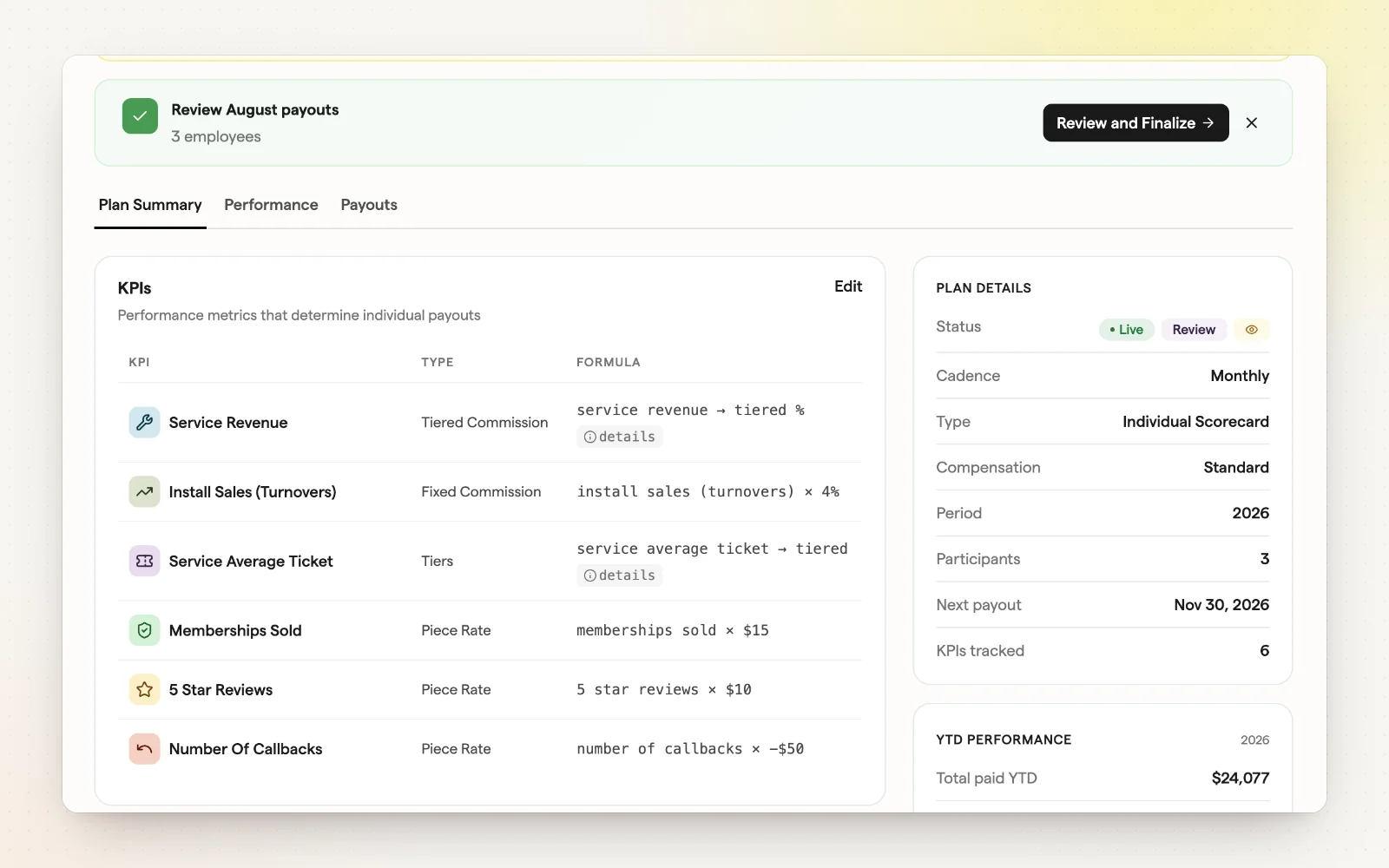
- KPIs: every metric the plan pays on, its payout type (tiered commission, fixed commission, tiers, piece rate) and the formula.
- Plan Details: status, cadence, plan type, compensation model, period, participants, next payout and KPIs tracked.
- YTD performance: the total paid so far this year.
Performance tab
Where everyone stands right now. Each KPI gets its own leaderboard, so you can see who's leading and who needs a hand.
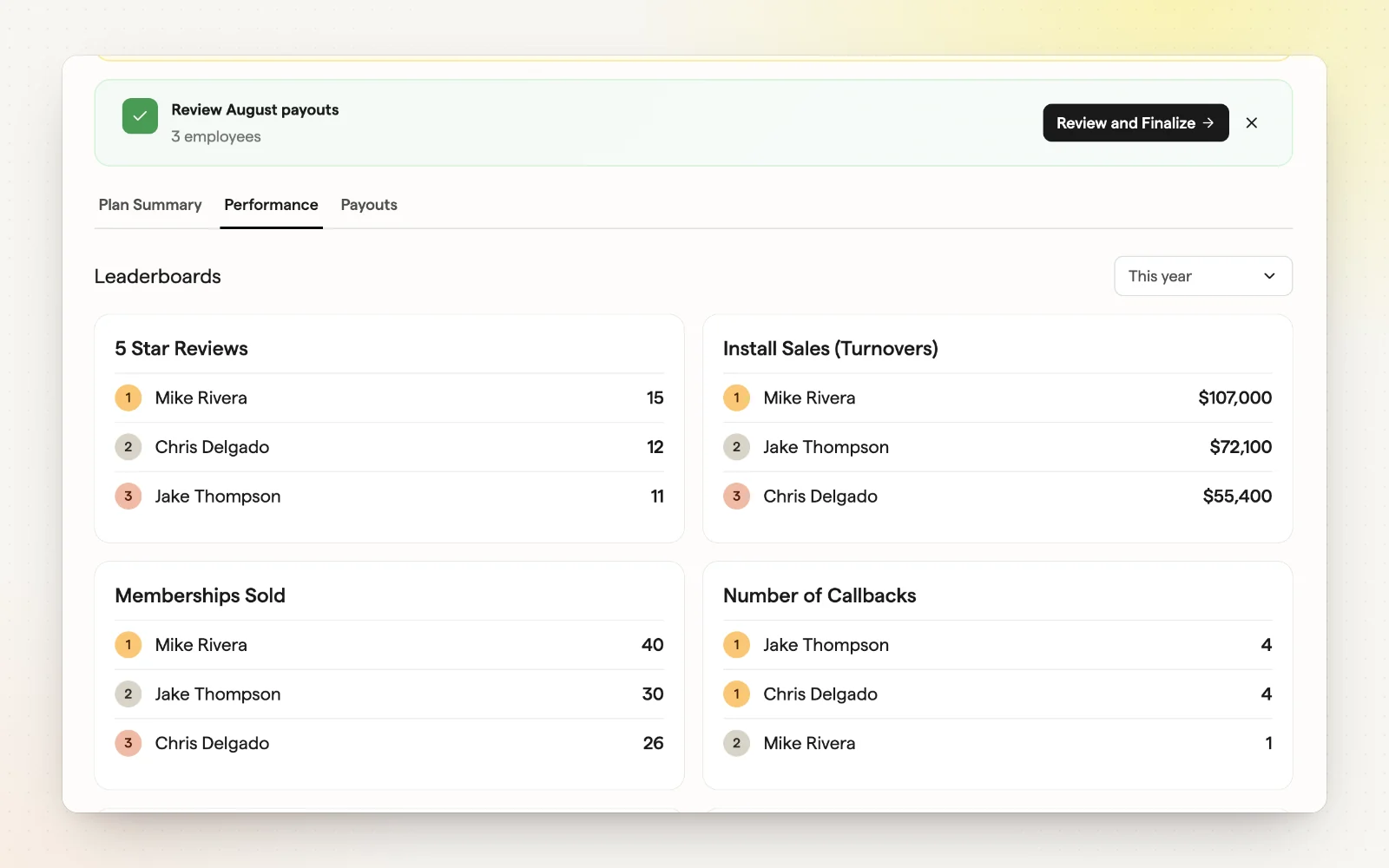
- A leaderboard for every KPI in the plan, ranked by result.
- Change the time range from the date menu, such as This year.
- The top three for each KPI, with each person’s result next to their name.
Payouts tab
What each person earned, period by period. Use it to answer pay questions and to hand totals to payroll.
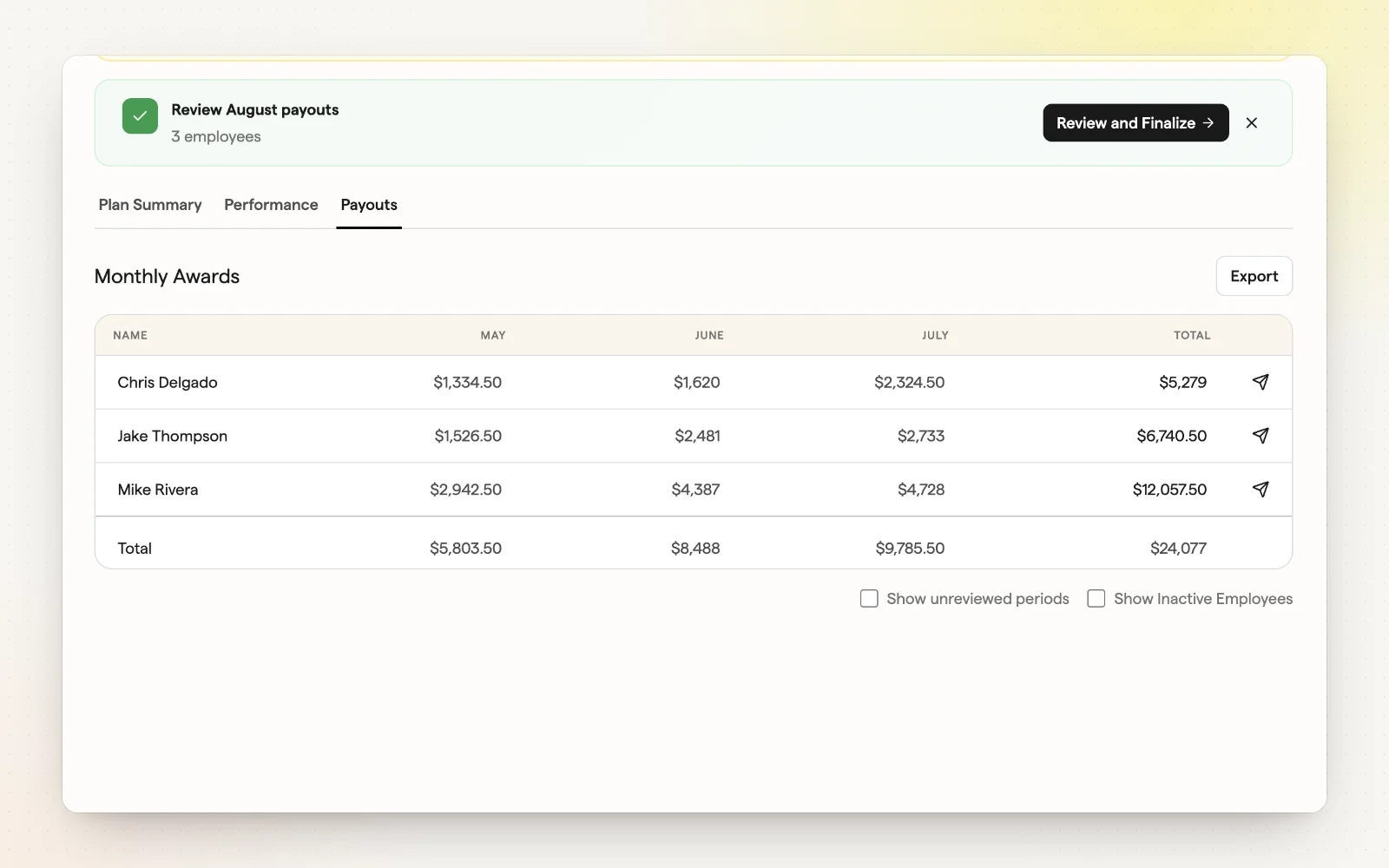
- One row per participant, one column per period, with totals.
- Export the table for payroll or your records.
- Show unreviewed periods or inactive employees when you need them.
Related
- Managing live plans — Track, copy and retire plans after launch.
- Review and approve payouts — Nothing pays out until you approve it.
- Leaderboards — Live rankings on the numbers you pay for.
- Payroll export — Send payout amounts to your payroll.